Skip to content

Our updated catalog is now available! If you are seeing a greyed-out screen, please close the cookies message at the bottom of the page. Not quite ready to make the switch? You can choose the “Classic Catalog” option from the new catalog’s menu near the top left of the screen or from the drop-down list under the My Account menu option on this page. Feedback is welcome at bplcirc@baldwinlib.org.

Library App

Search for “Baldwin Public Library” in the App Store or the Google Play store (link will open in a new tab) to download our app and get started.
Open the app and login to your Baldwin account with your card number and PIN for easy reference and use at any time. Once logged in, you can search the library’s catalog, manage holds, make lists, find direct links to the library’s databases, ebook services, and social media accounts.
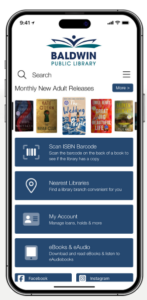
screen shot of app functions

Accessibility Toolbar